Research guide. WhiskerFinds may earn a commission from links, at no extra cost to you.
Quick answer: A pet camera lets you watch and talk to your pet while you're out, and a treat-tossing model like the Furbo 360 dog camera, our top pick, suits most dog owners. If watching is enough, a plain pan and tilt camera with no ongoing fee does the job. Check what needs a subscription first.
Pet cameras range from a simple Wi-Fi pet cam to ones that rotate, track your pet and flick out a treat, and some double as a pet monitor for a nervous puppy or a senior cat. This guide compares six on Amazon Australia, explains subscriptions, Wi-Fi and privacy, and is honest about what a camera can't fix. If your dog needs more to do while you're out, start with our guide to keeping a dog busy while you work.
Which camera guide do you need?
- Best cat camera: if the camera is mainly for your cat.
- Furbo review: if you've decided on a Furbo and want to compare the models.
- Petcube cameras compared: if you're weighing up the Petcube range.
- Pet feeder with a camera: if you want timed meals and a camera in one device.
Quick picks
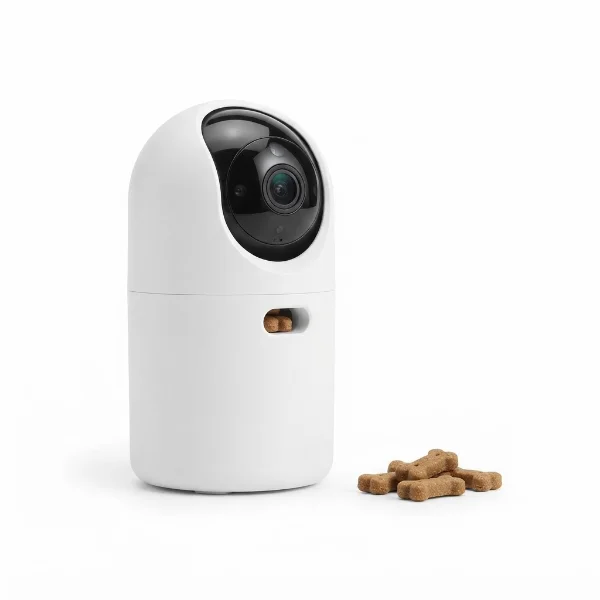
Furbo 360 dog camera
Rotating 360 degree view with treat tossing and two-way audio; the listing says a subscription is needed
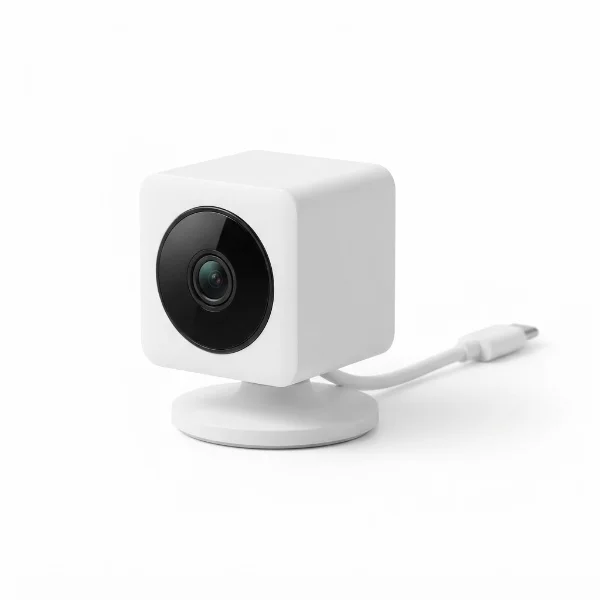
Petcube Cam
1080p, wide view, two-way audio and night vision, no treat tosser
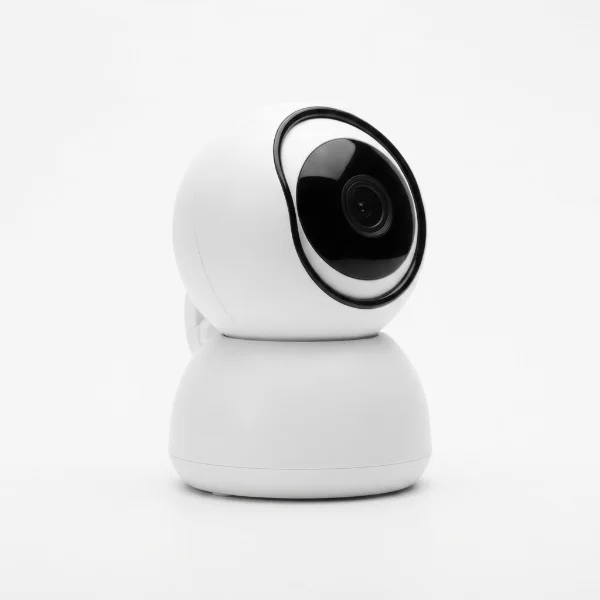
eufy Indoor Cam E30 4K pan and tilt
Pan and tilt, 4K, local storage on an SD card (sold separately)
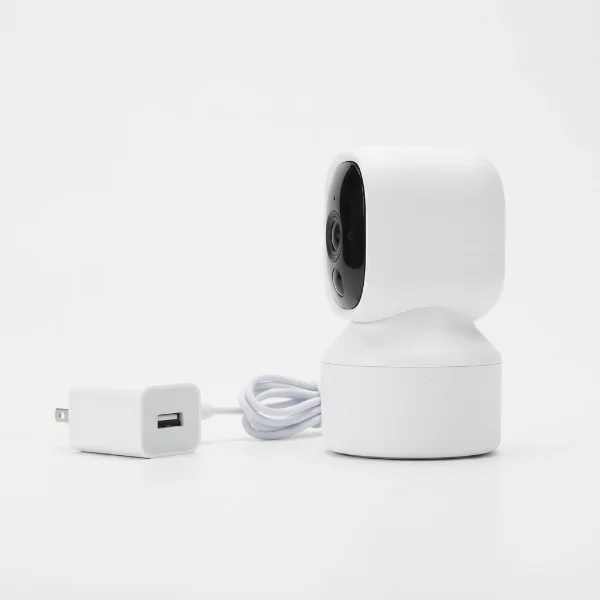
Tapo C200 pan and tilt camera
1080p pan and tilt with microSD storage and no recurring fees per the listing
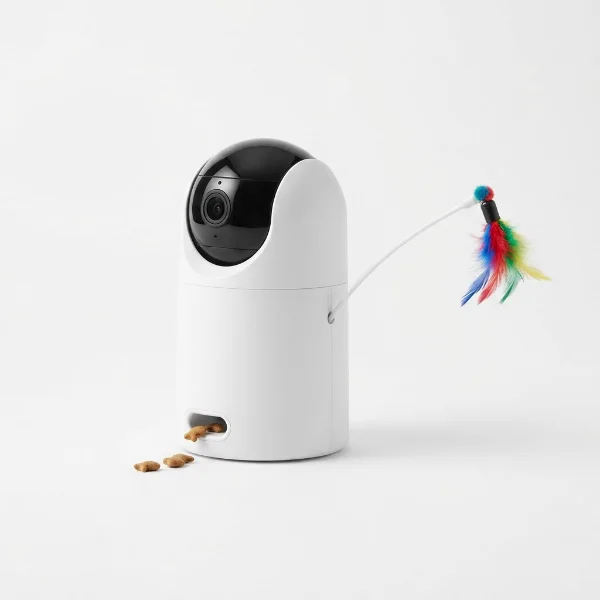
Furbo 360 cat camera
Treat tossing plus a cat wand toy; the listing says a subscription is needed
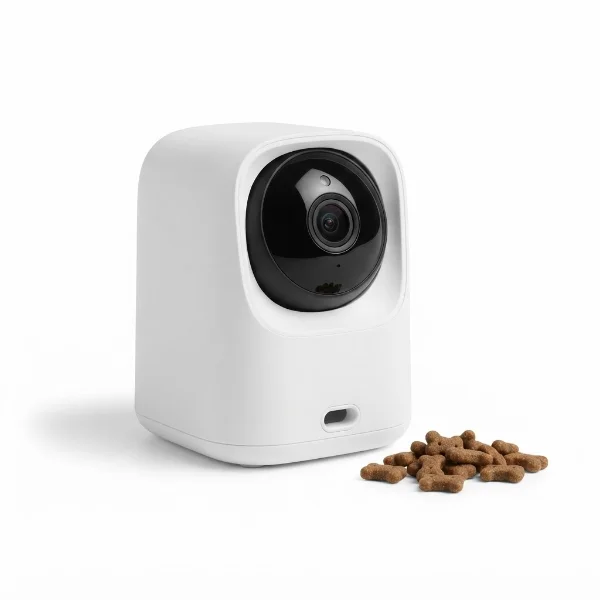
Furbo Mini 360 2K pet camera
Compact, 2K, for dogs and cats; a newer model
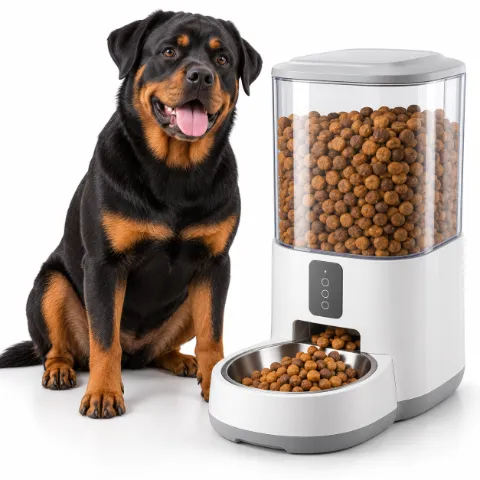
Large-capacity automatic dog feeder
Timed meals while you're out, which a camera lets you check on.

Automatic dog water dispenser
A steady water supply for a dog home alone.
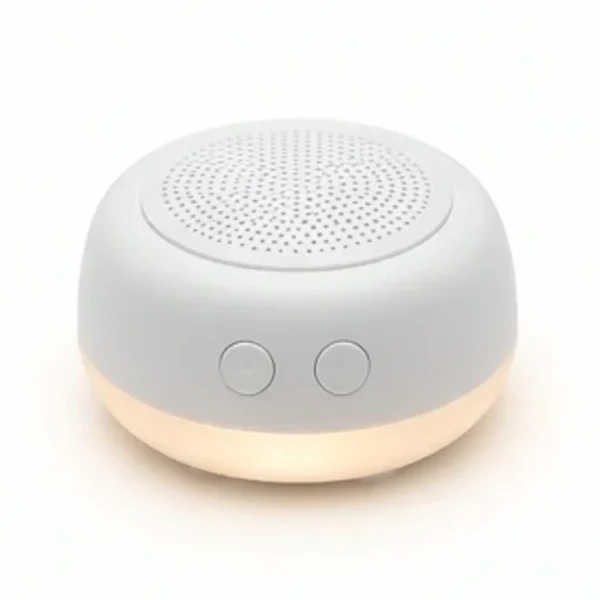
White noise machine
Steady background sound can soften outside noises for a dog at home.

Frosted window film
It blocks the view of passers-by that can set a dog barking at the window.

Catit Pixi cat water fountain
A pet camera shows how your cat is doing, and moving water gives them a drinking spot to go with it.

Cat window perch
A perch gives your cat a spot to watch the world, which makes for good camera viewing too.
Pictures are illustrations, not the actual products.
Not sure which type you need? The sections below explain the difference and the subscription catch.
What is the best dog camera?
For most dogs, a treat-tossing camera with bark alerts, such as the Furbo 360 dog camera, is the best fit if you accept the subscription its listing says is required. If you only want to watch and talk, a plain pan and tilt camera like the eufy E30 or Tapo C200 does the job without a monthly plan.
Use this table to match a camera to your situation:
| Your situation | Look for | Pick |
|---|---|---|
| Dog that barks when you leave | Bark alerts and clips to show your vet | Furbo 360 dog camera |
| You only want to check in, no monthly fee | Local storage, pan and tilt | eufy E30 or Tapo C200 |
| Puppy at home | A plain camera placed high, cords out of reach; no treat tosser needed | Tapo C200 or Petcube Cam |
| Small flat or one room | Compact, wide or rotating view | Furbo Mini 360 or Petcube Cam |
| Cat | Meow alerts or a simple wide view | Furbo 360 cat camera; see our cat camera guide |
| Timed meals as well | A feeder with a camera | See our camera feeder guide |
| Big treat-loving dog | A larger treat hopper | Petcube Bites 2 Lite (see the treat dispenser section below) |
A camera doesn't make it safe to leave a young puppy alone for long. Puppies need company, regular toilet breaks and meals, so use the camera to check in, not as a babysitter. Our new puppy checklist covers what a puppy needs on day one.
Are pet cameras worth it?
They can be, if you'll use what they show you. A camera lets you check your pet is settled, talk to them and spot patterns like barking or pacing. It won't fix boredom or anxiety on its own, and it adds a device to your home network, so it's worth it for some households and not others.
The most useful thing a camera gives you is information. You can see whether your dog sleeps all day or paces at the door, and you can save a clip to show your vet. RSPCA Australia says that if your dog seems anxious when you're not home, you should talk to your local vet, who may refer you to a behaviour specialist who uses humane, reward-based methods (RSPCA Australia, page read 1 November 2026). Video makes that conversation much easier.
A camera is a monitoring tool, not a fix. See what a pet camera can't fix below.
Our picks in detail
1. Furbo 360 dog camera: best overall
A rotating dog camera with 1080p video, colour night vision, two-way audio and treat tossing. The listing says it has a 360 degree view, bark and howl alerts and auto dog tracking. The listing is clear that a subscription plan must be chosen for the camera to work, so factor that in from day one. The listing shows USB power and lists the Wi-Fi as single-band, so check the app's setup notes.
- Pros: treat tossing; rotating view; colour night vision; bark and howl alerts per the listing; two-factor sign-in per the listing
- Cons: the listing says a subscription is required for the camera to function; indoor use only; not water resistant per the listing
- Best for: dog owners who want to check in, say hello and reward a calm dog from afar
- Skip it if: you want no ongoing costs, or you'd just like to watch
2. Petcube Cam: best simple pet camera
A straightforward camera with 1080p video, a 110 degree wide-angle view, two-way audio, night vision and motion and sound notifications. It runs through an iOS and Android app. There's no treat tosser and the view is fixed, so place it where it can see your pet's favourite spots.
- Pros: simple; wide view; two-way audio; night vision; small
- Cons: the listing is inconsistent about indoor or outdoor use, so treat it as an indoor camera; no treat tossing; the listing doesn't say whether the app has a paid tier
- Best for: people who want a plain pet camera with a wide view
- Skip it if: you want the camera to move or toss treats
3. eufy Indoor Cam E30 4K pan and tilt: best no-subscription camera
A 4K indoor pan and tilt camera with AI tracking that the listing says can tell humans, pets, sounds and crying apart. It has colour night vision with a built-in spotlight, two-way audio and works with HomeKit, Alexa and Google Assistant (the listing notes HomeKit supports up to 1080p). The listing says you can save footage to an SD card, sold separately, and use all functions with no subscription fees.
- Pros: no subscription fees per the listing; sharp 4K picture; pan and tilt with tracking; local storage
- Cons: SD card sold separately; no treat tossing; 2.4 GHz Wi-Fi only per the listing's questions and answers
- Best for: owners who want a clear picture and no monthly fee
- Skip it if: you want to toss treats, or a spotlight in the room might unsettle your pet
4. Tapo C200 pan and tilt camera: best budget camera
A 1080p pan and tilt Wi-Fi camera. The listing says it has motion detection with automatic tracking, night vision up to about 30 ft, two-way audio and microSD storage up to 512GB with no recurring monthly fees. It lists a 2-year warranty and single-band Wi-Fi.
- Pros: pan and tilt; no recurring fees per the listing; 2-year warranty per the listing
- Cons: 1080p only; microSD card isn't included in the listing; no treat tossing; the listing is marketed as a home security and baby monitor camera, with some mixed spec details
- Best for: a first pet camera when you just want to watch and talk
- Skip it if: you want pet-specific alerts or treat tossing
5. Furbo 360 cat camera: best for cats
The cat version of the Furbo 360. The listing describes a rotating 1080p camera with treat tossing, a cat wand toy, colour night vision, two-way audio and meow alerts. It says a Furbo Nanny subscription is required at setup, that it connects to 2.4GHz Wi-Fi (5GHz isn't supported), and that core functions such as live view, two-way audio and treat tossing remain active if you cancel.
- Pros: made with cats in mind; treat tossing and a wand toy; video clips you can share with your vet per the listing; 2-step verification recommended
- Cons: subscription required to activate; 2.4GHz Wi-Fi only; some cats ignore tossed treats, and the camera can't tell you why
- Best for: cat owners who want to check in and join in a little play
- Skip it if: you want no ongoing costs, or your cat is easily startled by new sounds and movement
6. Furbo Mini 360 2K pet camera: smaller treat tosser
A compact, newer Furbo for dogs and cats with 2K video, a rotating 360 degree view, auto tracking, two-way audio and colour night vision. The listing says its treat chamber fits up to 10 small treats. Like the cat model, it says a subscription is required to activate the camera, that core functions stay on if you cancel, and that it connects to 2.4GHz Wi-Fi only.
- Pros: small; 2K video; treat tossing; works for dogs or cats per the listing
- Cons: a newer model, so there's less track record; a small treat chamber; subscription required; 2.4GHz Wi-Fi only; the listing says each Furbo camera needs its own subscription to unlock the Furbo Nanny features
- Best for: small spaces and owners who want a treat tosser without the bulk
- Skip it if: you want no ongoing costs, or you need a large treat chamber
Treat-tossing camera or security camera?
A treat-tossing camera has a small chamber that flicks out a treat when you press a button in the app. A security camera just watches and listens. Pick a tosser if you like rewarding your pet from afar, and a security camera if you just want to check in without extra moving parts.
Here's how they differ in practice:
- Treat tossers (Furbo models): you can say hello and drop a treat from the app. Capacities and subscriptions are in the treat dispenser section below.
- Pet cameras without a tosser (Petcube): a simple, wide-view camera with two-way audio. Nothing to refill or jam. For a cheaper pan-and-tilt camera without a subscription, see our Petcube camera comparison.
- Security cameras used as pet cameras (eufy, Tapo): pan and tilt, local storage and no ongoing fee per the listings. You can talk to your pet, but you can't toss a treat.
Can you use a normal indoor security camera as a pet camera? Yes. The eufy and Tapo listings both mention two-way audio and motion detection, and the eufy listing says it can tell pets from people. You lose the treat tosser and the pet-specific alerts.
Which pet camera has a treat dispenser?
Four cameras here toss or fling treats: the three Furbo models and the Petcube Bites 2 Lite. The Furbo listings say a subscription is required to set up the camera. The Bites 2 Lite listing doesn't say either way, so check the Petcube app's plans before you buy.
Capacity differs a lot. The Furbo Mini listing says its chamber fits up to 10 small treats. The Bites 2 Lite listing says about 600 grams of treat storage. The Furbo 360 dog and cat listings don't state a capacity.
Two safety lines apply to every tosser. Tossed treats count toward your pet's daily food, so take them out of meals or choose small, low-calorie options from our dog training treats guide. And treat tossing is a reward, not a treatment: it doesn't fix separation anxiety.
Also consider: Petcube Bites 2 Lite. This is the treat tosser that isn't a Furbo, with a much larger hopper. The listing describes a fixed wide-angle camera with two-way audio, night vision and a treat dispenser you control from your phone, including the amount and distance of each toss, plus an auto play mode. It's listed for indoor use. For the wider Petcube range, see our Petcube camera comparison. The listing has gaps and contradictions, so read the cons before you buy.
- Pros: about 600 grams of treat storage per the listing; adjustable toss distance; two-way audio; night vision
- Cons: the listing contradicts itself (1080p in the description but 720p in the specifications, 160 degrees in one place and 110 in another, and a battery powered source although batteries aren't required); it doesn't say what the app charges for; it sat in our Premium price band when we checked, so tap Check price for today's figure; the lens is fixed, so placement matters
- Best for: owners who want treat tossing without refilling every day and don't need the camera to rotate
- Skip it if: you want a rotating view, or you need the subscription position confirmed on the listing before you buy
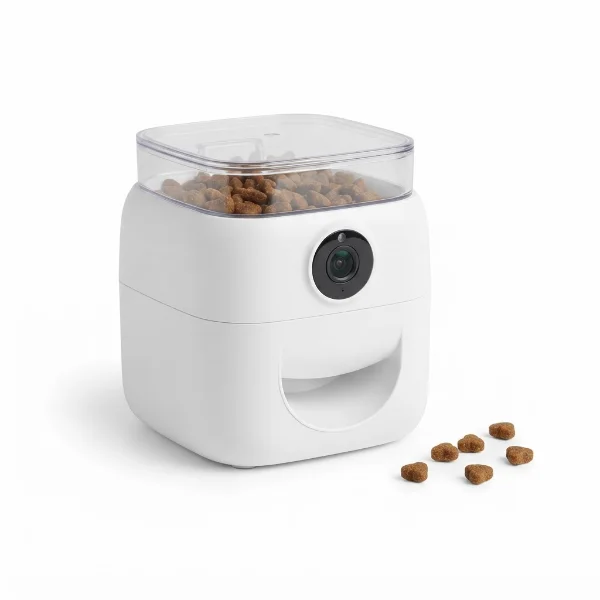
Which pet camera works without a subscription?
Of our six, the eufy E30 and Tapo C200 are the two to look at. Their listings say you can use them without a subscription, with footage saved to an SD card. The Furbo models, by contrast, say a subscription is required to set them up. Always read the listing's subscription wording before you buy.
Here's exactly what each listing says:
- eufy E30: the listing says you can store footage locally on an SD card (sold separately) and use all functions without subscription fees. Cloud storage is available as an option.
- Tapo C200: the listing says AI detection is free, with footage stored on a microSD card and no recurring monthly fees.
- Petcube Cam: the listing doesn't mention a subscription requirement, but it also doesn't say what the app includes. Check the app's plans before relying on cloud features.
- Furbo 360 dog camera: the listing says you must choose a subscription plan for the camera to function.
- Furbo 360 cat camera and Furbo Mini: the listings say a paid subscription is required to activate the camera. They also say that if you cancel, core functions such as live view, auto tracking, two-way audio, treat tossing and barking alerts remain active. Features like smart alerts and the video history come with the subscription.
- Petcube Bites 2 Lite (our also-consider): the listing doesn't state a subscription requirement either way.
We haven't printed subscription costs, because they change. The Furbo listings show their plan details, so read them before you commit.
Pet cameras compared
Details from each Amazon Australia listing, checked on 25 November 2026. Treat every camera here as indoor only: the Furbo, eufy and Bites 2 Lite listings say indoor, and none of the listings describes itself as water resistant. "Not stated" means the listing is silent.
| Product | Treat tossing | Resolution and view | Night vision | Wi-Fi band | Storage | Subscription per listing |
|---|---|---|---|---|---|---|
| Furbo 360 dog camera | Yes, capacity not stated | 1080p, rotating 360 degrees | Colour, 8 m range | Single-band | Cloud recording with the plan | Required |
| Petcube Cam | No | 1080p, fixed 110 degrees | Yes, 30 feet (about 9 m) | Not stated | Not stated | Not stated |
| eufy E30 | No | 4K, pan and tilt (125 degrees diagonal per the listing's chart) | Colour, with spotlight or infrared; range not stated | 2.4 GHz only | SD card, size not stated, sold separately; cloud optional | No fees |
| Tapo C200 | No | 1080p, pan and tilt | Up to about 10 m (30 ft) | Single-band | microSD up to 512 GB | No recurring fees |
| Furbo 360 cat camera | Yes, plus wand toy; capacity not stated | 1080p, rotating 360 degrees | Colour | 2.4 GHz only | 3 to 7 days of video history with the plan | Required to activate |
| Furbo Mini 360 2K | Yes, up to 10 small treats | 2K, rotating 360 degrees | Colour | 2.4 GHz only | Not stated | Required to activate |
| Petcube Bites 2 Lite | Yes, about 600 g of treats | 1080p or 720p, 160 or 110 degrees (listing conflicts) | Yes, 10 m | Not stated | Not stated | Not stated |
How we chose
We searched Amazon Australia for pet cameras and treat-tossing dog cameras, then shortlisted cameras that met all of these checks:
- Well rated: a strong average rating with plenty of buyer reviews.
- No red flags: no pattern of poor reviews, safety complaints or listing problems.
- Available on Amazon Australia when we checked.
- Live video and two-way audio stated on the listing.
- App and Wi-Fi requirements stated.
- Clear about which features need a subscription.
- Night vision on the listing.
These are researched picks, not products we've personally tested. We compared the specifications and features shown on each Amazon Australia listing, checked on 25 November 2026. We didn't accept payment from any brand, and no brand saw this page before it was published.
Left out this time: treat-tossing cameras with a pattern of jamming or app connection problems, and robot cameras, which are too new for us to judge.
Setting up a pet camera
Put the camera somewhere stable, out of reach, with a view of where your pet spends time, and away from direct sun. Keep cords tidy and out of reach so they can't be chewed, check your Wi-Fi band before you start, and count any tossed treats in your pet's daily food.
A few practical steps:
- Placement: a shelf or table at about the height of your pet's resting spots works for most rooms. Avoid pointing it straight at a window, which can wash out the picture and give you glare at night.
- Cords: power cables can be chewed by curious pets. Run them out of reach, use cable covers or choose a spot near a power point so there's no slack. If your pet chews cords, unplug the camera when you're not using it.
- Wi-Fi: the Furbo cat and Mini listings say 2.4GHz only (5GHz isn't supported), and the eufy listing's questions and answers say the same. The Furbo 360 dog and Tapo listings show single-band Wi-Fi, and the Petcube listings don't state the band. If your router combines both bands under one name, check the camera's app for setup steps. Our related feeder below lists dual-band support.
- Treats: tossed treats are food. Keep them small and take them out of the day's meals. Don't leave a treat tosser running to cure boredom. Our treat dispensing toys guide has options for when you're home.
- Heat: keep the camera out of direct sun and out of hot spots, and make sure the room stays comfortable. Our summer guide for keeping dogs cool and cat version cover the basics.
Keeping your pet camera private and secure
A pet camera streams video of your home, so protect the account. Change any default password, use a strong unique one, keep the app and camera software up to date, turn on two-step login where it's offered, and switch off remote access you don't use. Think about where the camera points.
The advice above matches a security advisory from the UK National Cyber Security Centre, shared by the US cyber agency CISA, which tells owners of internet-connected cameras to change default passwords, keep software up to date and turn off remote access they don't need (CISA, page read 1 November 2026). It's older advice, but the basics haven't changed.
Some extra habits help:
- Two-step login: the Furbo listings say the brand recommends 2-step verification, and the dog listing mentions two-factor authentication. Turn it on for any camera app that offers it.
- Placement: keep the camera out of bedrooms and bathrooms unless you mean to watch there, and tell housemates and visitors it's there.
- Sharing: give app access just to people you trust, and remove it when it's no longer needed.
- Updates: install app and camera updates when they appear.
What a pet camera can't fix
A camera shows you what's happening. It doesn't treat separation anxiety or cure boredom. Treat tossing is a reward, not a treatment. If your dog is distressed when you leave, talk to your vet and a qualified, reward-based behaviour professional, and use your video to help them.
The Furbo dog listing suggests treat tossing can be used as a training reward to address separation anxiety. We'd treat that as a brand claim. A dog who is truly distressed may ignore treats, and tossing one from your phone isn't a plan. RSPCA Australia lists signs of anxiety when alone as unexpected toileting indoors, destructiveness, excessive barking, digging, pacing and trying to escape, and says to talk to your vet about it (RSPCA Australia, page read 1 November 2026).
What the camera can do is give you clear footage. Note when the behaviour starts, how long it lasts and what comes before it. For ways to tell boredom and distress apart, see is my dog bored?, and for ideas to keep a dog occupied, our guide to keeping a dog busy at work.
Cats show distress differently, so look at the whole pattern, not one clip. For indoor cat ideas see our cats enrichment page, or the cat toys guide.
Related gear: a feeder with a built-in camera
If your pet also needs timed meals, a feeder with a camera combines both, and our pet feeders with a camera guide compares five of them. The Frienhund 7L automatic feeder with 2K camera is listed for cats and dogs. The listing says it holds 7 litres, supports up to 15 meals a day, has two-way audio and night vision, and works with 2.4GHz and 5GHz Wi-Fi. It stores footage on a TF card up to 128GB or in the cloud. Check the listing details before you order. A feeder is a meal timer: it doesn't replace company or a walk. See our automatic cat feeders and automatic dog feeders guides first.

When to get help
Talk to your vet if your camera shows your pet in distress while you're out: constant barking or howling, pacing, trying to escape, destroying doors or windows, toileting indoors, or not eating. RSPCA Australia advises discussing these concerns with your local vet, who may refer you to a behaviour specialist using humane, reward-based methods (RSPCA Australia, page read 1 November 2026).
Save a few short clips to show them. See is my dog bored? for how boredom and distress can look different. Don't punish a pet for what you see on camera.
Frequently asked questions
Is there a treat-tossing pet camera with no subscription?
None of the treat tossers here says so. The three Furbo listings say a subscription is required to set up the camera, though the cat and Mini listings add that core functions, including treat tossing, stay on if you cancel. The Petcube Bites 2 Lite listing doesn't say what its app charges for, so check before you buy.
Can a pet camera help with separation anxiety?
A camera doesn't treat separation anxiety, but video can help your vet or a behaviour professional see what happens when you leave. RSPCA Australia advises talking to your vet if your dog seems anxious when alone. Treat tossing is a reward, not a treatment.
Is Furbo worth it in Australia?
It depends on how much you want treat tossing and pet-specific alerts. The Furbo listings on Amazon Australia say a subscription is required to set up the camera, so factor in the ongoing cost. If you just want to watch your pet, a no-subscription camera is the simpler fit. Our Furbo review compares every Furbo model.
Can I use a normal security camera as a pet camera?
Yes. Indoor security cameras like the eufy E30 and Tapo C200 have live video, two-way audio and motion alerts, and their listings say they work without a subscription. You won't get a treat tosser, and some alerts may not be pet-specific. Place it indoors and out of your pet's reach.
What is the best camera to watch a puppy?
A plain camera placed high with its cord out of reach, such as the Tapo C200 or Petcube Cam, is enough, because a puppy doesn't need a treat tosser. See the situation table above. A camera lets you check in, but it doesn't make it safe to leave a young puppy alone for long.
Do pet cameras work in the dark?
Yes, every listing here mentions night vision. The Furbo 360 dog listing gives an 8 metre range, the Tapo listing about 10 metres, and the Petcube Cam listing about 9 metres (30 feet). The eufy E30 listing describes colour night vision with a built-in spotlight, which might unsettle some pets.
Do pet cameras work with 5 GHz Wi-Fi?
Not always. The Furbo cat camera and Furbo Mini listings say they connect to 2.4GHz Wi-Fi only and that 5GHz isn't supported. The Frienhund feeder listing says it supports both 2.4GHz and 5GHz. Check the band on the listing before you buy, and set up the camera on a 2.4GHz connection if needed.
Are pet cameras safe from hackers?
Any camera on your network can be a risk, but a few habits help. Change default passwords, keep software updated and switch off remote access you don't use, as advised by the UK National Cyber Security Centre, and turn on two-step login where the app offers it. Think about where the camera points, too.
Related guides
- How to stop a dog barking
- Furbo review: which Furbo camera to buy
- Petcube cameras compared
- Pet feeders with a camera
- Best cat cameras
- Best automatic cat feeders
- Best automatic dog feeders
- Best KONG and treat dispensing toys
- Best dog training treats
- Keeping a dog busy while you work
- Is my dog bored? Signs and how to tell
- New puppy checklist
- Best dog collar
Sources
- RSPCA Australia: Is your dog anxious when you're not home?, read 1 November 2026
- CISA: NCSC releases advisory on securing internet-connected cameras (5 March 2020), read 1 November 2026
- Product details from each linked Amazon Australia listing, checked on 25 November 2026.
This guide provides general information and isn't a substitute for veterinary advice. If you're concerned about your dog's or cat's behaviour when home alone, speak with your vet.